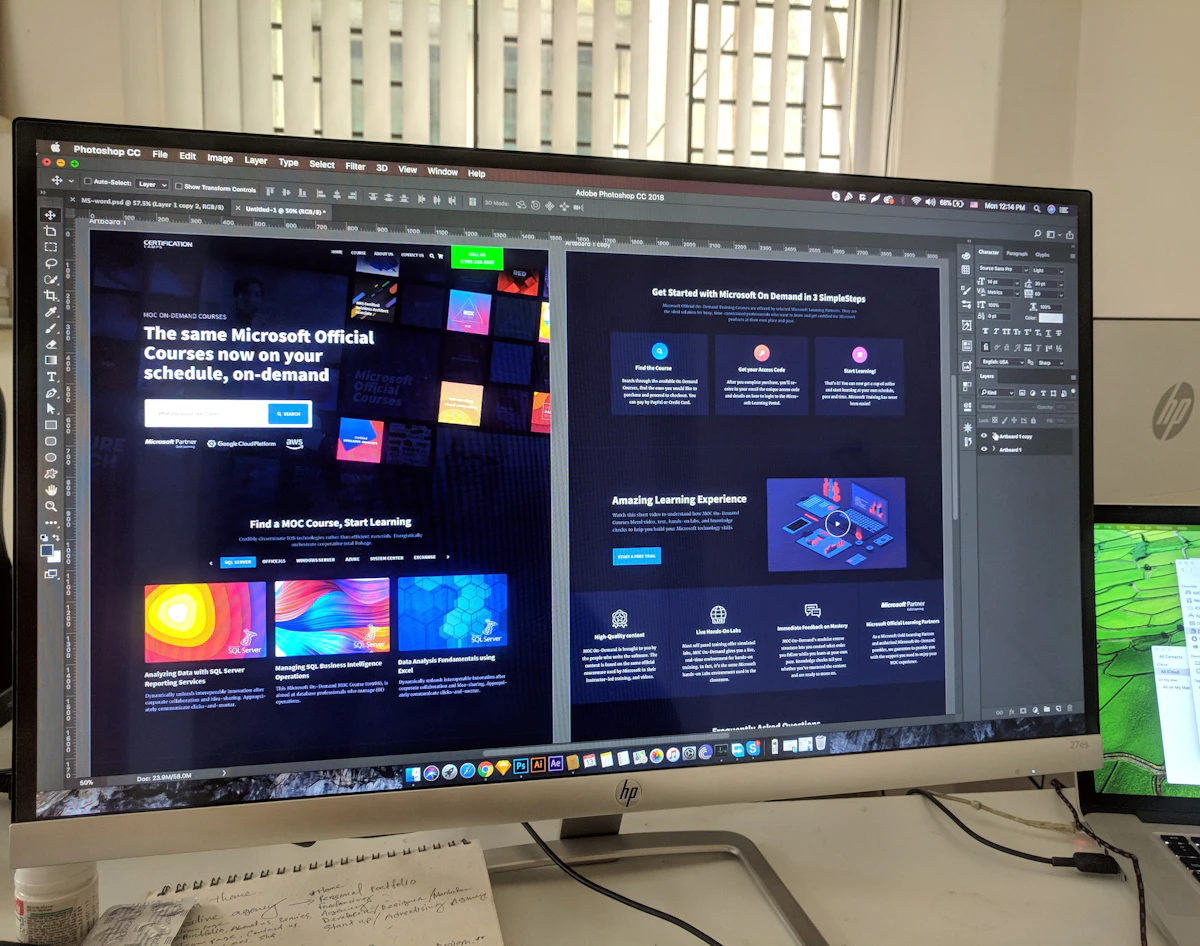
Dark interfaces dominate modern tech branding, yet most dark modes ship with washed out text, muddy cards and accent colors that vibrate. Getting dark right requires different physics, not inverted colors.
Surfaces, not shadows
On dark backgrounds elevation is communicated by lightness, not drop shadows. Each layer of depth steps up in surface lightness so users read hierarchy intuitively. Pure black is reserved for device bezels; real interfaces live on near black surfaces.
Contrast discipline
Body text on dark needs softer whites, around eighty to ninety percent luminance, to avoid halation where letters glow against the dark. Large low contrast gray areas strain eyes; small text never dips below accessibility ratios.
Dark mode fails when it is designed as light mode with inverted pixels. It succeeds as its own material system.
Our working rules
- Desaturate brand accents slightly for large fills, keep pure accents for tiny highlights.
- Borders become more visible than shadows.
- Test on OLED and LCD; dark gray renders differently on each.
- Give users a system-matching default plus a manual override.
The ByteHexa site itself follows these principles: layered near-black surfaces, one electric accent and typography that carries the hierarchy without heavy chrome.